
Skip to content

RSS/JSON Feed

Sends a notification when a new item appears in an external feed.
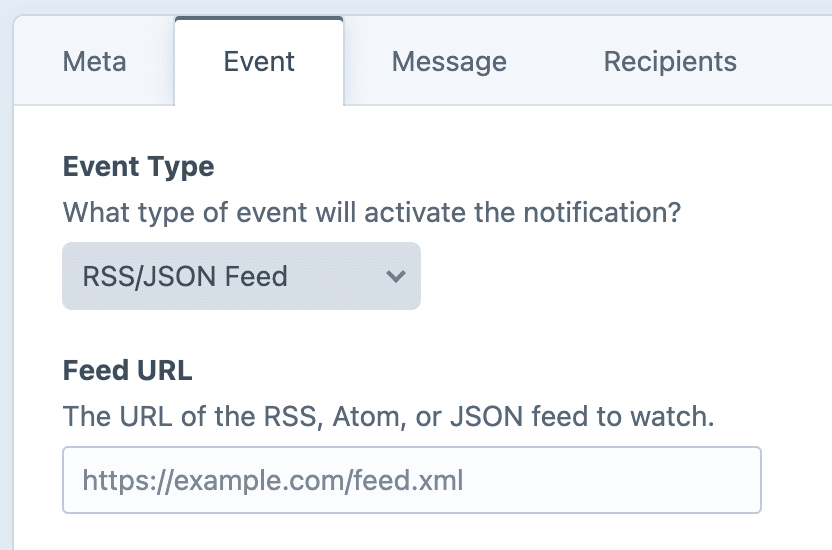
Unlike other event types, RSS/JSON Feed isn't tied to specific Craft elements. Instead, Notifier will poll the feed and send a message every time a new item shows up.

The format will be automatically detected when the feed is parsed. Notifier will sync with the feed, and fire notifications for any new items which appear after the schedule has been set up. Pre-existing feed items will be ignored.

Set up Scheduled Sending

Before this trigger will fire, you will need to run the schedule on a recurring basis.

Identifying unique items

Each feed item is tracked by its canonical identifier:

  • RSS: <guid>
  • Atom: <id>
  • JSON Feed: id

If no unique ID is provided by the feed, the item's URL (<link> / url) will be used instead.

Expected behavior

  • An item whose identifier (correctly) never changes will fire exactly once, no matter how often the schedule is run.
  • An item whose identifier (incorrectly) changes between runs will be fired every time the identifier changes.
  • Items with no identifier or URL will be skipped.

Twig variables

⚠️ Feed content is untrusted data!

RSS, Atom, and JSON feed item bodies routinely contain raw HTML. If your message template renders the item.description value with the |raw filter, treat that content as untrusted and sanitize it yourself.

The typical element variables (element, entry, original, etc.) are not available (or relevant) when watching an RSS/JSON feed.

Instead, all feed data is exposed through the feed and item variables.

  • Standard tags are available as feed.{tag} and item.{tag}.
  • Namespaced tags are available as feed.{namespace}.{tag} and item.{namespace}.{tag}.

Feed Tags

VariableTypeDescription
feed.titlestringThe feed's title
feed.descriptionstringThe feed's description
feed.linkstringThe feed's human-readable site URL
feed.urlstringThe configured feed URL

Item Tags

VariableTypeDescription
item.titlestringItem title
item.descriptionstringThe raw item body
item.linkstringItem URL
item.guidstringThe unique identifier used for tracking
item.pubDateDateTimePublished date
item.authorstring|nullItem author, when the feed provides one
item.categoriesstring[]Item categories or tags
item.enclosurearray|nullFirst attachment found in the item

A tag's attributes become sub-keys of the Twig variable:

TagTwig variable
<enclosure url="..."/>item.enclosure.url
<enclosure type="..."/>item.enclosure.type
<enclosure length="..."/>item.enclosure.length

Namespaced Tags (e.g. iTunes)

Any <namespace:tag> becomes feed.namespace.tag or item.namespace.tag.

TagOn feedOn item
<itunes:author>feed.itunes.authoritem.itunes.author
<podcast:foo>feed.podcast.fooitem.podcast.foo
<dc:bar>feed.dc.baritem.dc.bar

A tag's attributes become sub-keys of the Twig variable:

TagOn feedOn item
<itunes:image href="..."/>feed.itunes.image.hrefitem.itunes.image.href

Here are some of the most common iTunes tags for podcast feeds:

Namespaced Feed Tags

VariableTypeDescription
feed.itunes.authorstringShow author
feed.itunes.summarystringShow description
feed.itunes.typestringepisodic or serial
feed.itunes.explicitstringExplicit-content flag (yes / no)
feed.itunes.image.hrefstringCover artwork URL
feed.itunes.owner.namestringOwner name
feed.itunes.owner.emailstringOwner email
feed.itunes.category.textstringShow category

Namespaced Item Tags

VariableTypeDescription
item.itunes.durationstringEpisode length (e.g. 30:00)
item.itunes.episodestringEpisode number
item.itunes.seasonstringSeason number
item.itunes.episodeTypestringfull, trailer, or bonus
item.itunes.titlestringCleaner title (no episode / season prefix)
item.itunes.subtitlestringEpisode subtitle
item.itunes.summarystringLong episode description
item.itunes.explicitstringExplicit-content flag (yes / no)
item.itunes.image.hrefstringEpisode artwork URL
item.itunes.authorstringEpisode author (does not override item.author)

Examples

Announce a new post

twig
A new post is up on {{ feed.title }}:

{{ item.title }}
{{ item.link }}

Announce a new podcast episode

twig
New episode of {{ feed.title }}:

{% if item.itunes.episode %}Episode {{ item.itunes.episode }}: {% endif %}{{ item.title }}
{% if item.itunes.duration %}Length: {{ item.itunes.duration }}{% endif %}

{{ item.link }}

Include the published date

twig
{{ item.title }}

{% if item.pubDate %}
Published {{ item.pubDate|date('M j, Y') }}
{% endif %}

{{ item.link }}

Skip items missing a real link

twig
{% if not item.link starts with 'http' %}
    {% skipMessage 'No real link on this item.' %}
{% endif %}

New on {{ feed.title }}: {{ item.title }} ({{ item.link }})

Prefer the iTunes author, fall back to the standard author

twig
{% set who = item.itunes.author ?? item.author ?? 'someone' %}

New from {{ who }}: {{ item.title }}
{{ item.link }}