
When an asset is moved
Sends a notification when an Asset has been moved to a different folder or volume.
This event can be triggered by:
- drag-and-drop reorganization of the Assets index,
- programmatic
moveAsset()calls, or - renames that change the file's underlying path.
Volume Filters
Choose which asset volumes should fire this notification. Only assets stored in the selected volumes will trigger it.
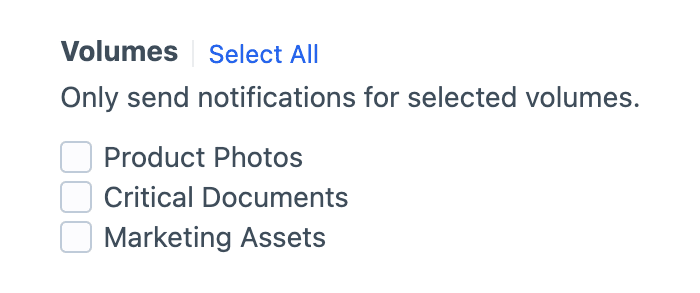
Selection is required
Check at least one volume, or the notification won't fire.
Field Conditions
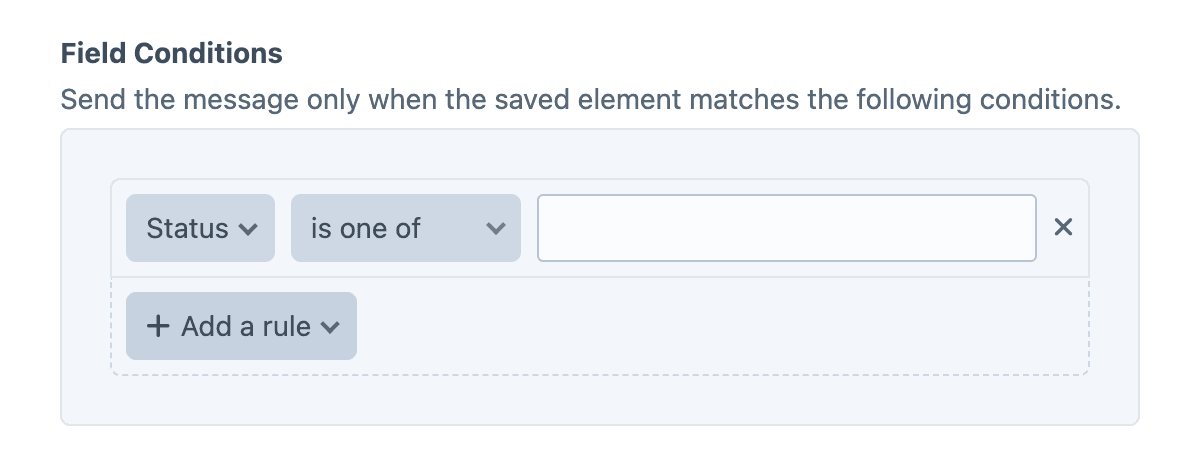
Field conditions restrict the notification based on the element's content, using Craft's native conditions framework. Build a rule set against the element's attributes and field values, and the notification will be sent only when every rule matches.
Must match all conditions
The condition builder evaluates every rule with AND semantics, so each rule must pass for the notification to be sent.
Twig variables
The object variable (and its asset alias) is the moved Asset at its new location. The pre-move copy is available as original, which carries the old folder, volume, and path values for before/after comparison.
{{ asset.filename }} was moved from "{{ original.folder.name }}" to "{{ asset.folder.name }}".Examples
Show the before/after location
{{ asset.filename }} was moved:

- From: {{ original.volume.name }} / {{ original.folder.name }}
- To:   {{ asset.volume.name }} / {{ asset.folder.name }}
Skip moves within the same volume
{% if original.volumeId == asset.volumeId %}
    {% skipMessage "Same-volume folder reorganization." %}
{% endif %}

{{ asset.filename }} crossed volumes: {{ original.volume.name }} -> {{ asset.volume.name }}
Alert moderators when assets land in a watched folder
{% if asset.folder.name != 'Pending Review' %}
    {% skipMessage %}
{% endif %}

A new asset is waiting for review:

- File: {{ asset.filename }}
- Moved by: {{ currentUser.fullName }}