
Configuring Twilio
If using Twilio to send SMS (text messages), you'll need to create and configure your Twilio account.
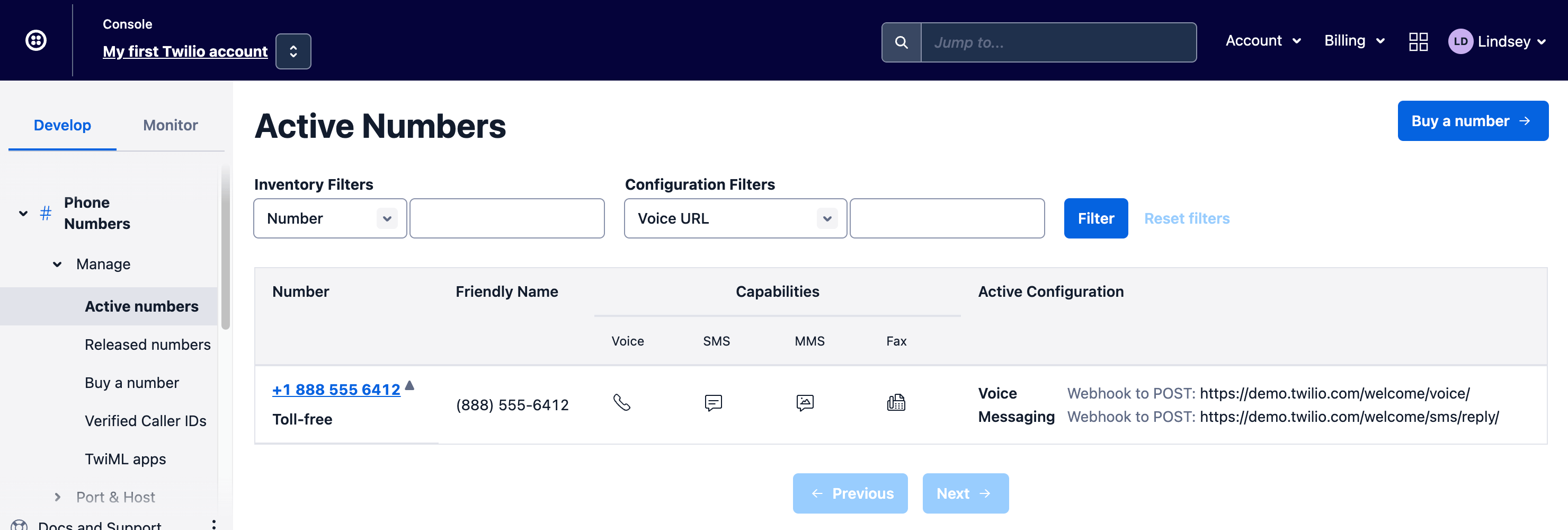
Get an Active Number
You will need a Twilio phone number to send SMS messages. This will be used as the "return address" for all text messages sent out by the Notifier plugin.
Somewhat Complicated Setup
Be warned, Twilio may force you to jump through several hoops to get a valid phone number. It should be possible to get a free trial phone number for testing, however there may still be several verification steps.
Get the Account Info
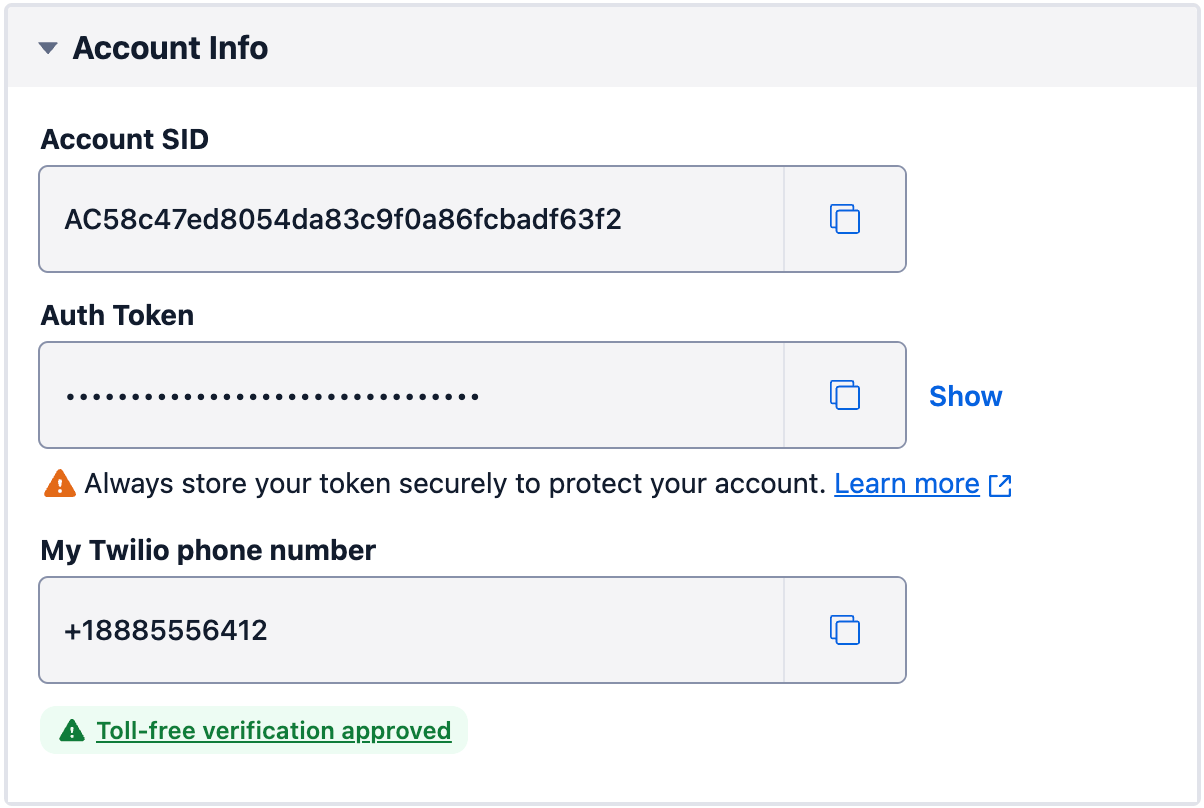
Once you have a Twilio phone number to send messages from, go to the Twilio console homepage and scroll to the bottom of the page. There you will find the required Account Info to copy into your project.
Copy credentials to .env
Copy the complete set of Twilio API credentials and save them to your .env file.
# Twilio API credentials
TWILIO_ACCOUNT_SID="AC5****************************3f2"
TWILIO_AUTH_TOKEN="c84**************************158"
TWILIO_PHONE_NUMBER="+18885556412"
Configure Notifier
In the Craft control panel, go to Settings → Plugins → Notifier → Twilio to load the API credentials.
In each field, reference the matching .env variable (e.g. $TWILIO_ACCOUNT_SID).
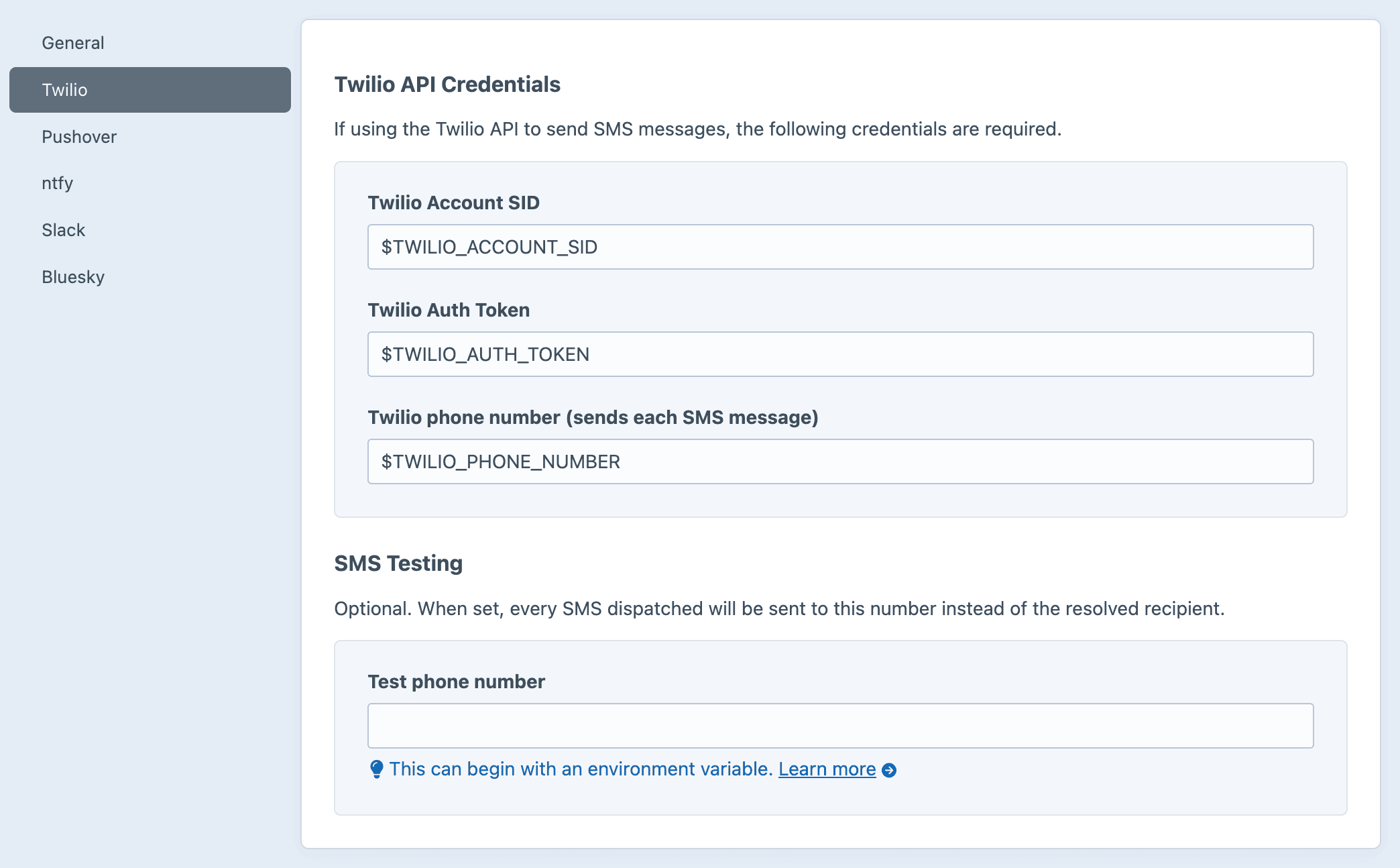
You can also set these values in a PHP config file instead.