
ntfy
Sends a push notification to one or more ntfy topics when the notification event is triggered.

ntfy is a free push notification service. Unlike a typical notification service, users subscribe to a topic, which acts as a feed for new messages. When Notifier sends a message to that topic, all subscribers receive it.
Setup Required
Before sending ntfy messages, be sure to add one or more recipient topics via Settings → ntfy.
If you're self-hosting ntfy and/or have an access token, add that info to the same page. It's recommended to store sensitive credentials in a .env variable.
Config
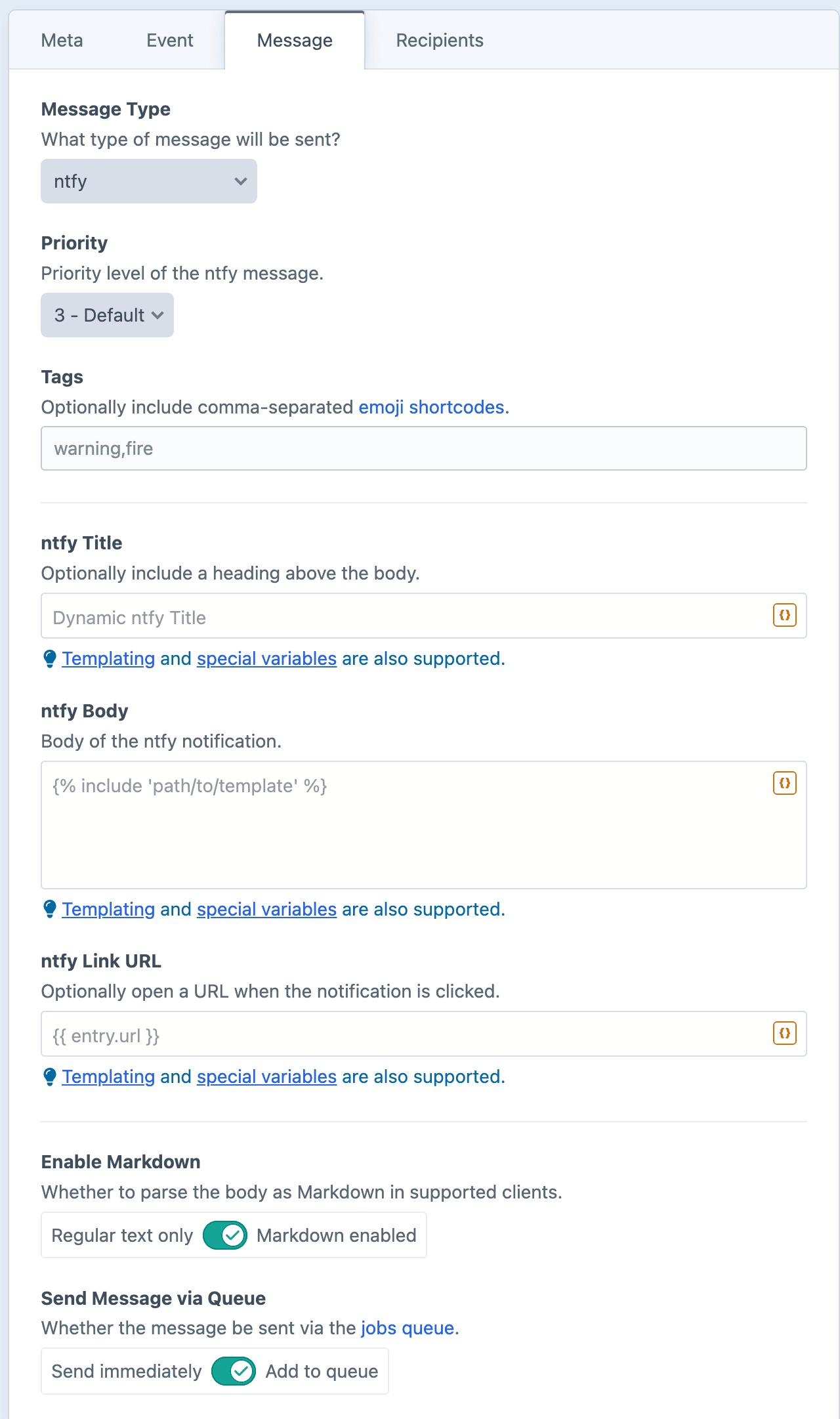
Priority
Sets how prominently the notification displays, from 1 (lowest) to 5 (highest). Higher values are harder to miss, and on iOS can break through Do Not Disturb.
Tags
Adds emoji to the notification. Enter a comma-separated list of emoji shortcodes.
ntfy Title
Optionally include a heading above the body.
ntfy Body
The body of the ntfy notification.
ntfy Link URL
Attaches a URL to the notification. Tapping the notification will open that URL on the recipient's device.
Enable Markdown
Renders the body as Markdown. Some ntfy clients (like the web app) will properly format Markdown syntax, while others (like the iOS app) do not support it and will show the raw text.
Dynamic Message Fields
As noted in the screenshot above, all text fields can use templating and special variables.
Examples
Note when an entry is deleted
Removed from the site: "{{ entry.title }}".Flag a new admin account
{% if not user.admin %}
    {% skipMessage "Not an admin account." %}
{% endif %}

Heads up: a new admin account was created for {{ user.email }}.
Confirm an order payment
Payment received: {{ order.totalPrice|currency }} on order #{{ order.shortNumber }}.