
When a new file is uploaded and saved
Sends a notification when a new file has been uploaded and saved to any Craft asset volume. This trigger fires the first time an Asset is saved, after the upload completes and propagation finishes.
The trigger only fires once per Asset. Replacing a file, renaming it, moving it between folders, or saving an Asset's metadata does not re-fire it.
Volume Filters
Choose which asset volumes should fire this notification. Only assets stored in the selected volumes will trigger it.
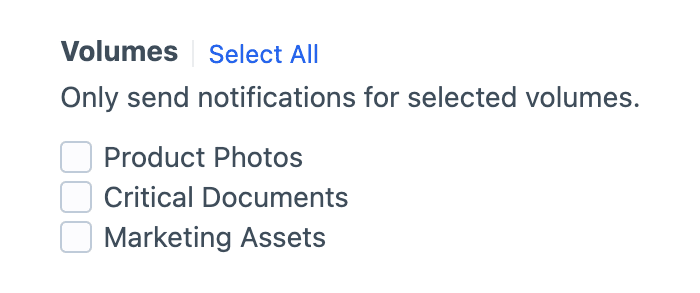
Selection is required
Check at least one volume, or the notification won't fire.
Field Conditions
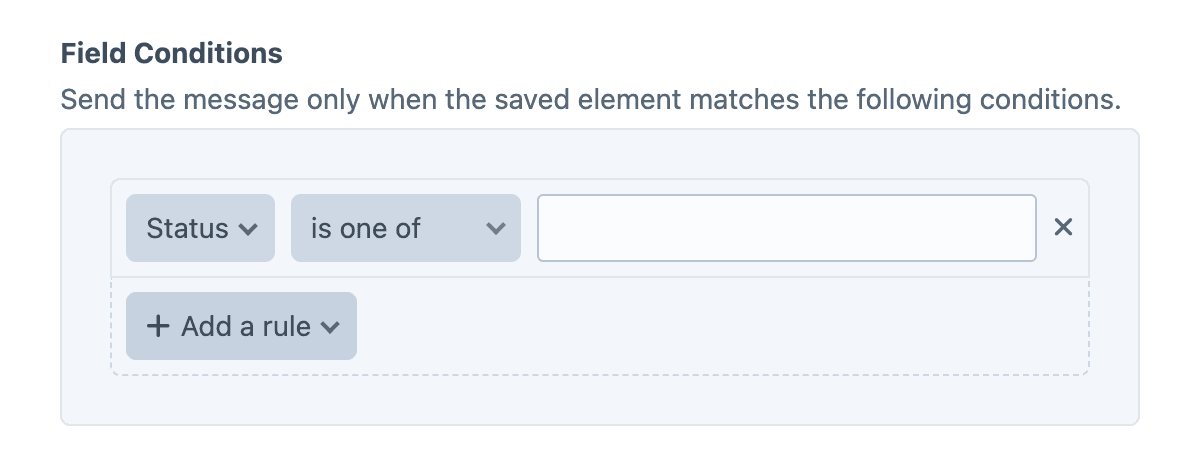
Field conditions restrict the notification based on the element's content, using Craft's native conditions framework. Build a rule set against the element's attributes and field values, and the notification will be sent only when every rule matches.
Must match all conditions
The condition builder evaluates every rule with AND semantics, so each rule must pass for the notification to be sent.
Filtering by folder
If you need to filter by folder, use {% skipMessage %} inside the message body:
{% if asset.folder.name != 'Hero Images' %}
    {% skipMessage %}
{% endif %}
Twig variables
The object variable (and its asset alias) is the newly uploaded Asset.
{{ asset.filename }} was uploaded to "{{ asset.volume.name }}".Examples
Email a moderator with the upload details
{{ currentUser.fullName }} uploaded a new file:

- File: {{ asset.filename }}
- Size: {{ asset.size|filesize }}
- Volume: {{ asset.volume.name }}
- Folder: {{ asset.folder.name }}
Announce uploads to a specific volume
{% if asset.volume.handle != 'criticalDocuments' %}
    {% skipMessage "Only Critical Documents trigger this announcement." %}
{% endif %}

{{ asset.filename }} was uploaded to Critical Documents.
Skip files smaller than a threshold
{% if asset.size < 5242880 %}
    {% skipMessage "Asset is under 5 MB." %}
{% endif %}

Large file uploaded: {{ asset.filename }} ({{ asset.size|filesize }}).