
When an asset is updated
Sends a notification when an existing Asset is saved. Covers rename, replacement, alt text changes, focal point changes, and any custom field edits.
The trigger does not fire when an Asset is moved between folders or volumes (see "When an asset is moved").
Volume Filters
Choose which asset volumes should fire this notification. Only assets stored in the selected volumes will trigger it.
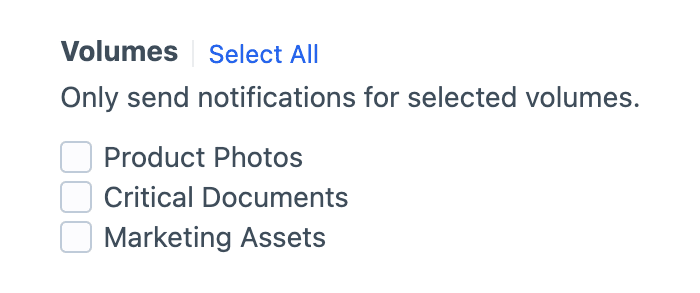
Selection is required
Check at least one volume, or the notification won't fire.
Field Conditions
Field conditions restrict the notification based on the element's content, using Craft's native conditions framework. Build a rule set against the element's attributes and field values, and the notification will be sent only when every rule matches.
Must match all conditions
The condition builder evaluates every rule with AND semantics, so each rule must pass for the notification to be sent.
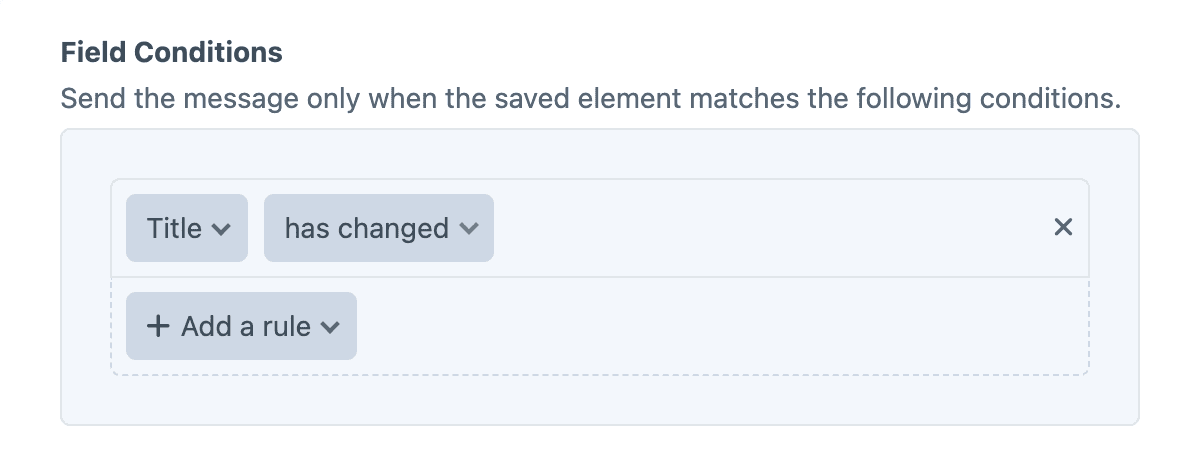
The "has changed" operator
Field rules now include an additional "has changed" operator, alongside the existing standard options.
When the element is saved, the "has changed" operator checks whether the field's value has changed during the save, (regardless of what the new value is). The notification will only be sent when the specified field's value has changed.
Twig variables
The object variable (and its asset alias) is the updated Asset. The pre-save copy is available as original for change-detection.
{{ asset.filename }} was updated by {{ currentUser.fullName }}.Examples
Detect a rename
{% if asset.filename == original.filename %}
    {% skipMessage "Filename unchanged." %}
{% endif %}

"{{ original.filename }}" was renamed to "{{ asset.filename }}" by {{ currentUser.fullName }}.
Alert when alt text changes
{% if asset.alt == original.alt %}
    {% skipMessage %}
{% endif %}

Alt text on "{{ asset.filename }}" changed:

- Before: {{ original.alt ?: "(none)" }}
- After:  {{ asset.alt ?: "(none)" }}
Detect a file replacement
{% if asset.dateModified == original.dateModified %}
    {% skipMessage "File content unchanged." %}
{% endif %}

The file behind "{{ asset.filename }}" was just replaced.