
When an asset is restored
Sends a notification when an Asset has been restored from the trash.
This only covers assets that were soft-deleted and then restored from the control panel Trashed view or via restoreElement(). Assets that were hard-deleted cannot be restored, and thus never fire this trigger.
Can't restore Assets deleted without keepFileOnDelete
Craft only allows an Asset to be restored if its file was preserved at delete time.
The control panel's standard "Delete" action will hard-delete the underlying file. Once the file has been deleted, it becomes impossible to restore the Asset.
To produce a restorable Asset, you must delete it programmatically, and set the keepFileOnDelete flag before deletion:
$asset->keepFileOnDelete = true;
Craft::$app->getElements()->deleteElement($asset);
Without that flag, a deleted Asset will not be restorable.
Volume Filters
Choose which asset volumes should fire this notification. Only assets stored in the selected volumes will trigger it.
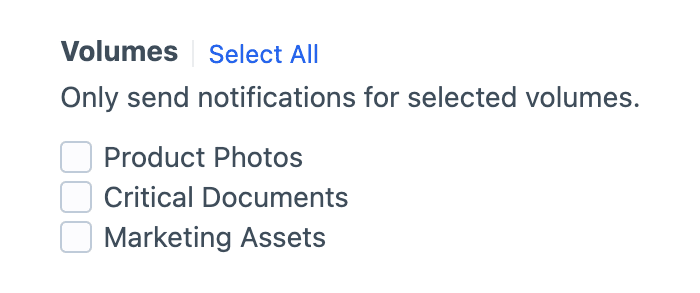
Selection is required
Check at least one volume, or the notification won't fire.
Field Conditions
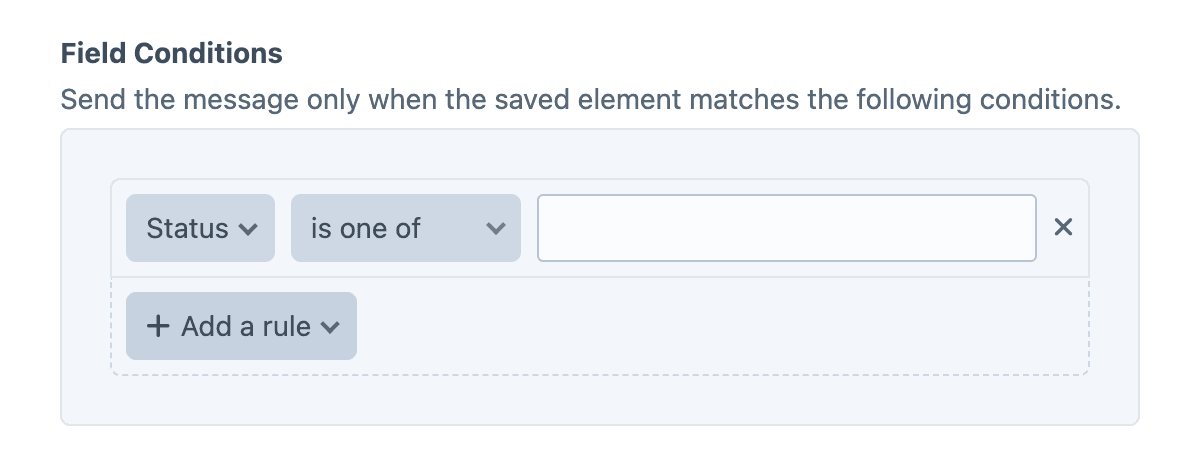
Field conditions restrict the notification based on the element's content, using Craft's native conditions framework. Build a rule set against the element's attributes and field values, and the notification will be sent only when every rule matches.
Must match all conditions
The condition builder evaluates every rule with AND semantics, so each rule must pass for the notification to be sent.
Twig variables
The object variable (and its asset alias) is the restored Asset.
{{ asset.filename }} was just restored.Examples
Alert moderators of an asset restore
An asset was just restored:

- File: {{ asset.filename }}
- Volume: {{ asset.volume.name }}
- Restored by: {{ currentUser.fullName }}
Skip restores from automated processes
{% if currentUser is null %}
    {% skipMessage "Restored by an automated process." %}
{% endif %}

{{ asset.filename }} was restored by {{ currentUser.fullName }}.