
Discord
Posts a message to one or more Discord channels when the notification event is triggered.

Discord uses a per-channel Incoming Webhook URL to post. The URL is both the credential and the destination, so each channel you want to post to has its own webhook.
At least one channel is required
Before sending Discord messages, add at least one Discord channel via Settings → Discord.
Config
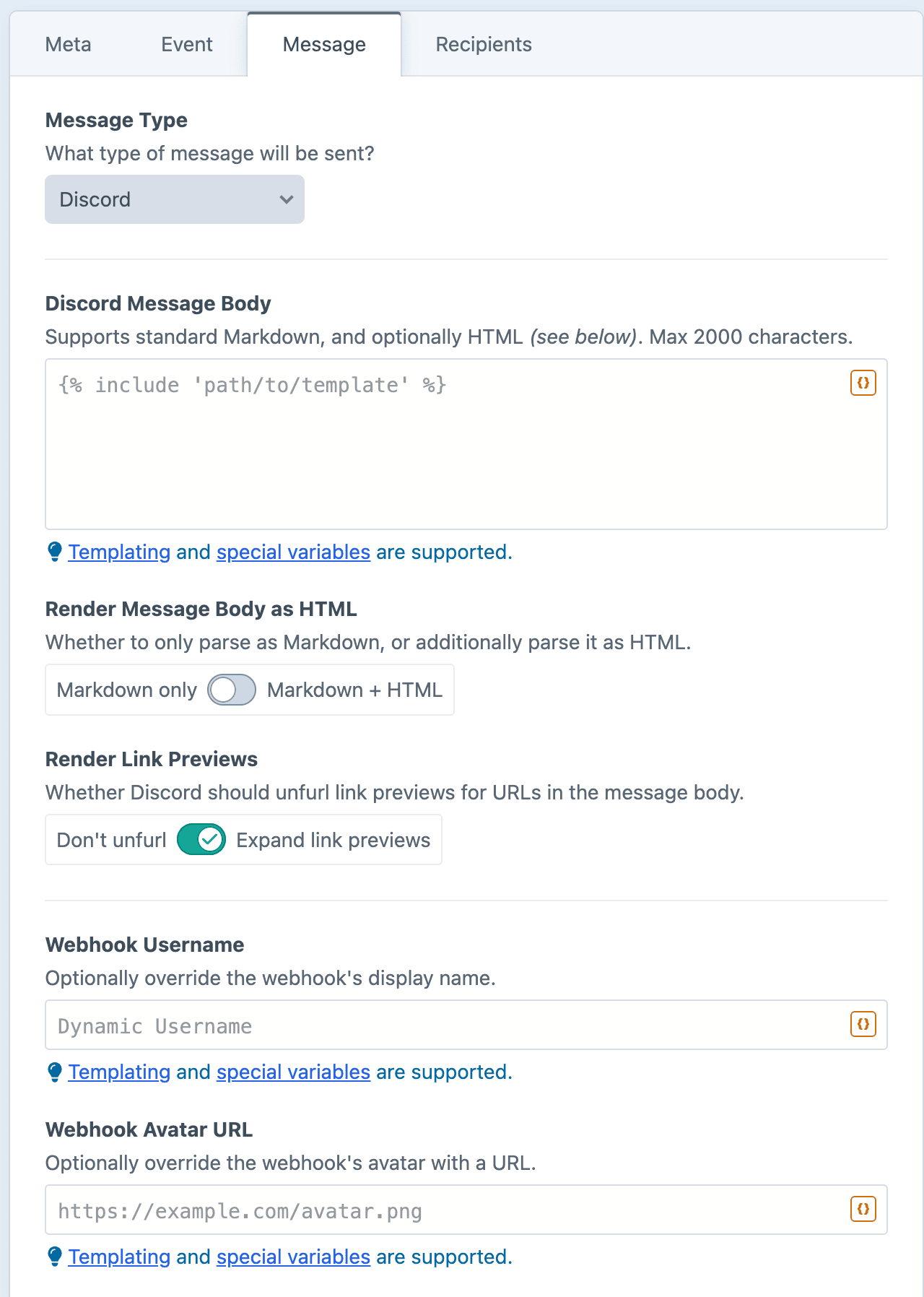
2,000 character limit
Discord caps a message body at 2,000 characters. Anything longer is rejected before sending, and logged with an error message.
Discord Message Body
The content of your message. Supports standard Markdown, and optionally HTML (see below).
Render Message Body as HTML
By default, the body will be parsed as Markdown. When enabled, many HTML tags will also be parsed and converted to Markdown.
Render Link Previews
Whether Discord should show link previews for URLs in the message body. Enabled by default.
Webhook Username
The webhook's display name can be overridden when the message is sent. The name can be dynamically specified via Twig, so each individual message could post under a different name.
Leave blank to use the webhook's default name.
Webhook Avatar URL
The webhook's avatar can be overridden when the message is sent. Must supply a complete URL for a publicly accessible image (beginning with http(s)). The URL can be dynamically specified via Twig, so each individual message could use a different avatar.
Leave blank to use the webhook's default avatar.
Dynamic Message Fields
As noted in the screenshot above, all text fields can use templating and special variables.
Examples
Notify the channel of a new entry
**New entry published:** "{{ entry.title }}"

{{ entry.url }}
Follow the Craft critical advisory RSS feed (https://feeds.craftcms.com/critical.atom)
@here New critical advisory

{{ item.author }} - {{ item.title }}

{{ item.description }}
Notify the channel when a new file has been uploaded
**New file uploaded to {{ asset.volume.name }}:** {{ asset.filename }}

{{ asset.url }}