
When an entry is saved (send one message per each site)
Sends a notification when an entry has finished saving on each particular site. Multi-site entries fire this trigger once per site, so a notification would send one message for each site the entry saved to.
Each message renders with currentSite, entry.url, and other site-aware values resolved against the entry's site, not the site the editor was on when they triggered the save.
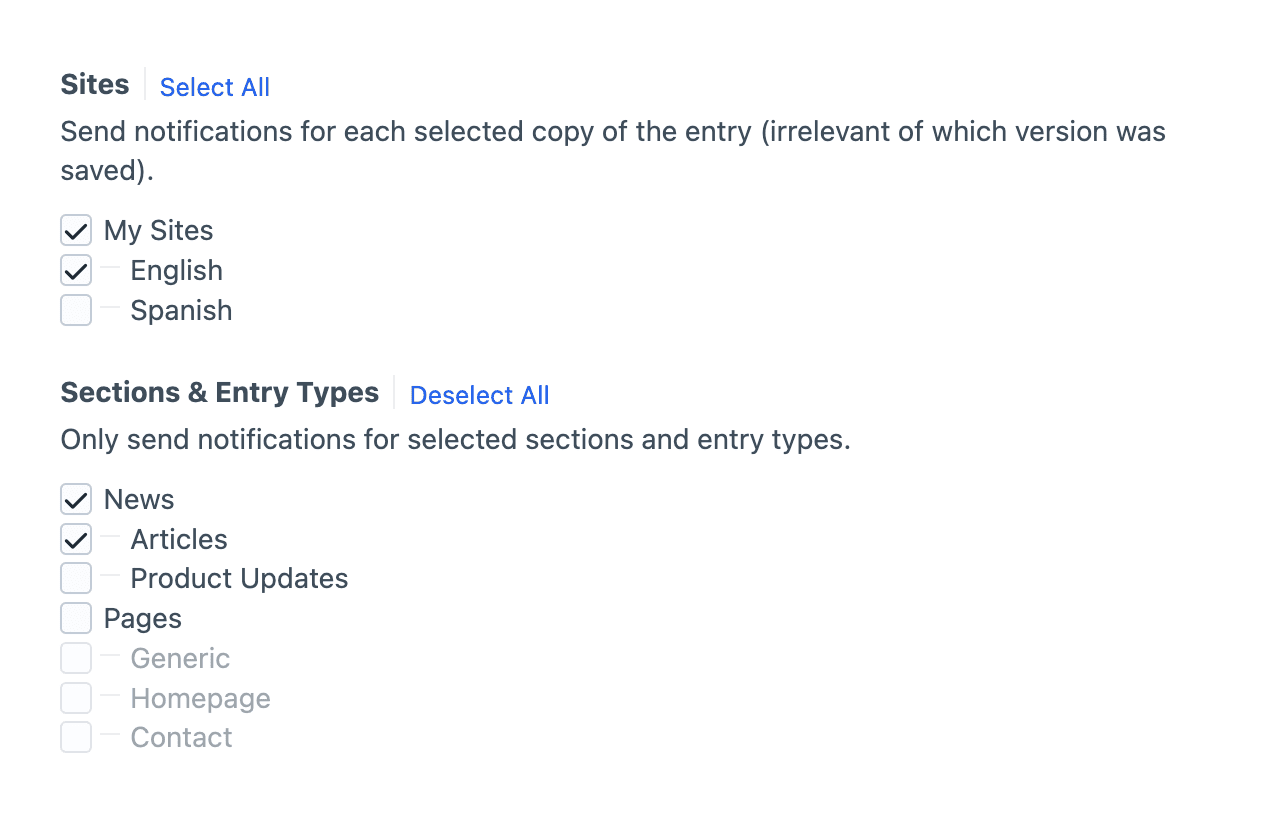
Site and Section Filters
This trigger is filterable by sites, sections and entry types, and the standard element filters.
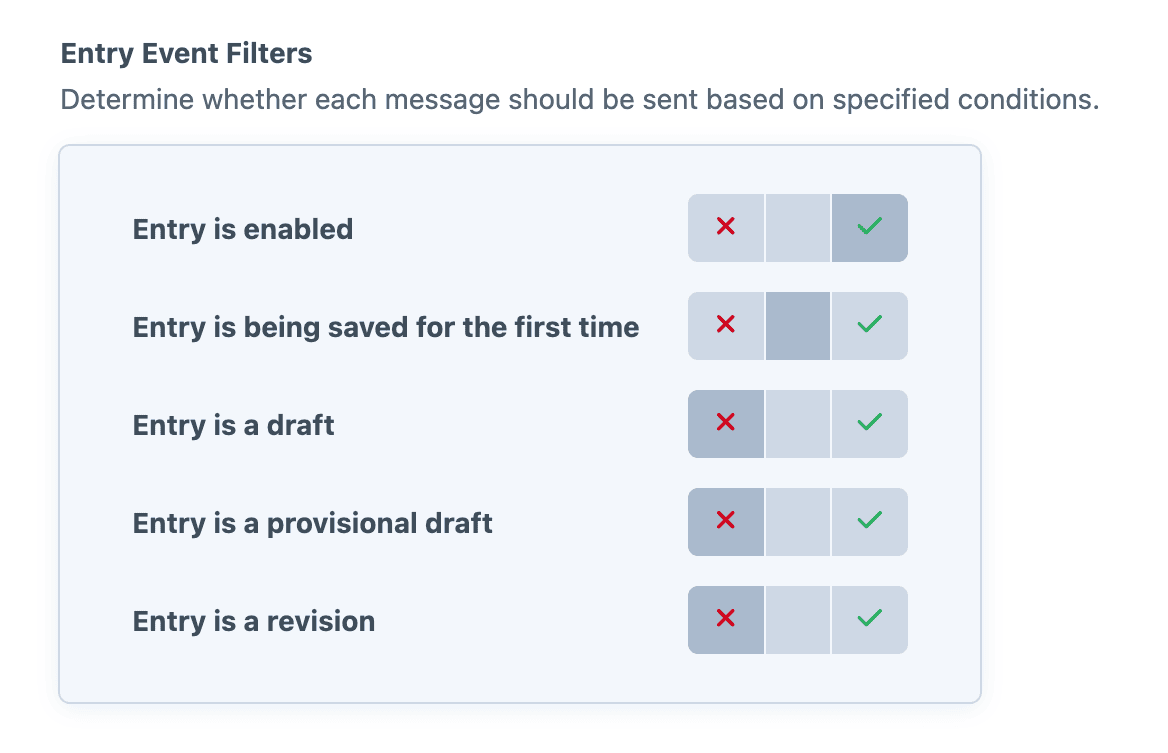
Element Filters
Element filters restrict the notification based on lifecycle-state checks against the saved element. Each filter is tri-state: require it to be true, require it to be false, or ignore it. Useful for firing only on first saves, or for skipping drafts and revisions.
Field Conditions
Field conditions restrict the notification based on the element's content, using Craft's native conditions framework. Build a rule set against the element's attributes and field values, and the notification will be sent only when every rule matches.
Must match all conditions
The condition builder evaluates every rule with AND semantics, so each rule must pass for the notification to be sent.
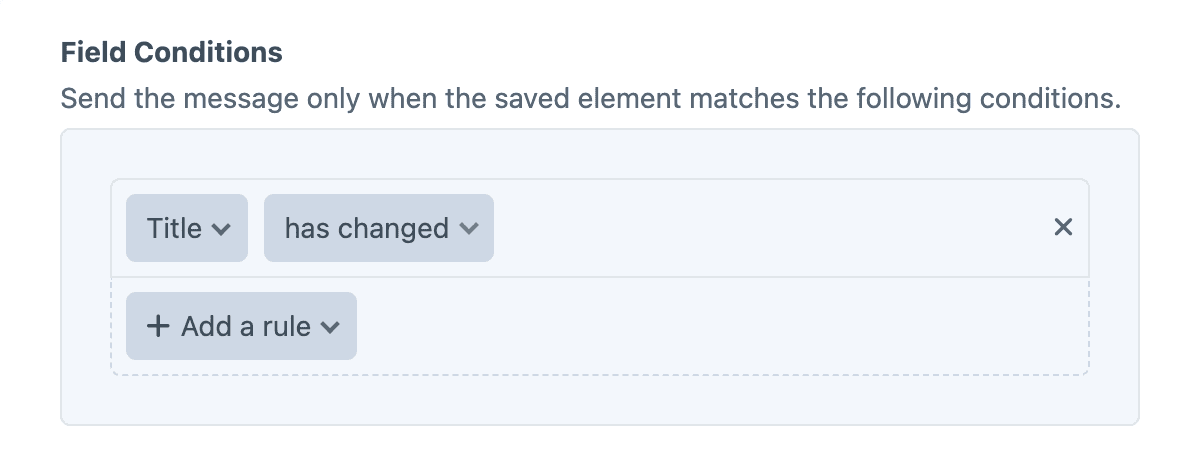
The "has changed" operator
Field rules now include an additional "has changed" operator, alongside the existing standard options.
When the element is saved, the "has changed" operator checks whether the field's value has changed during the save, (regardless of what the new value is). The notification will only be sent when the specified field's value has changed.
Twig variables
The object variable (and its entry alias) is the saved Entry. The pre-save copy is available as original.
{{ entry.title }} was saved on {{ currentSite.name }}.Caveats
Revision Data Unavailable
The underlying Craft on save event fires before the new revision is written, making entry.currentRevision unavailable at that moment.
To access revision data, instead use the event "When an entry is saved and propagated (send one message)".
Examples
Link to the entry on its own site
{{ entry.title }} was saved on {{ currentSite.name }}.

View it: {{ entry.url }}
Send only when saved on a specific site
{% if currentSite.handle != 'default' %}
    {% skipMessage "Only the default site triggers this message." %}
{% endif %}

{{ entry.title }} was just updated on the main site.
Show the saved status alongside the title
{{ entry.title }} ({{ entry.status }}) was saved on {{ currentSite.name }} by {{ currentUser.fullName }}.