Getting Started
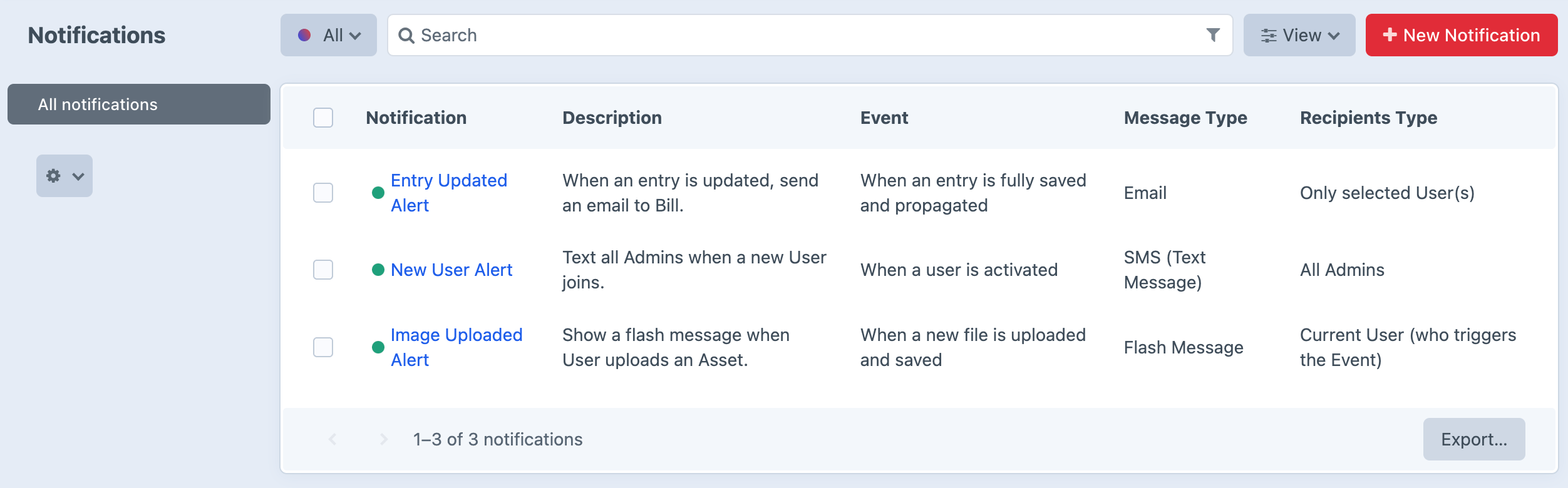
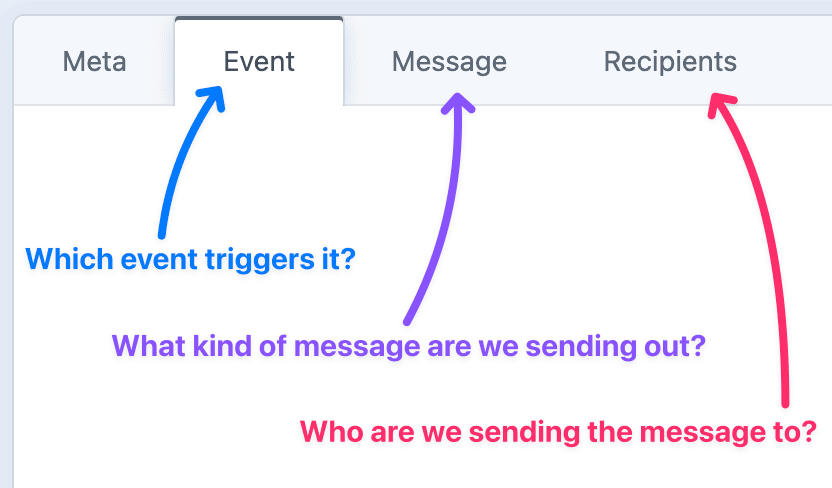
Notifier sends a notification whenever something happens in Craft. Pick an event, choose a message type, and decide who will receive it. You build each notification in the control panel, writing the message body with Twig so it can pull in details from whatever triggered it.
When the event fires, Notifier checks any conditions you've set, builds the message from your template, and sends it through the channels you configured. Recipients can be Craft users, dynamically chosen people, or anyone you specify, so the right people hear about the right things at the right time.
Where to begin
If you're just getting started, the first steps will be:
- Install the plugin.
- Configure the plugin's settings.
- Configure any third-party integrations you need.
Run the Schedule
If you're running any time-based or scheduled notifications, you'll also need to run the schedule, which is how Notifier checks for things that should be sent at a certain time or on a recurring basis.
Once you've got the basics set up, you can start building notifications.
- Events are the triggers which cause notifications to send.
- Messages are the types of notifications you can send.
- Recipients are the people who will receive each notification.
Notifications
For more info, see Notification Elements...