
Control Panel
To access the plugin settings, log into your control panel and visit Settings → Notifier.
Notification Order
The index page for Notifications can be sorted manually, much like entries in a Structure section.
Use Default Placement to choose where new notifications will be placed:
- Before other notifications - New notifications will be added to the top of the list.
- After other notifications - New notifications will be added to the bottom of the list. (default)
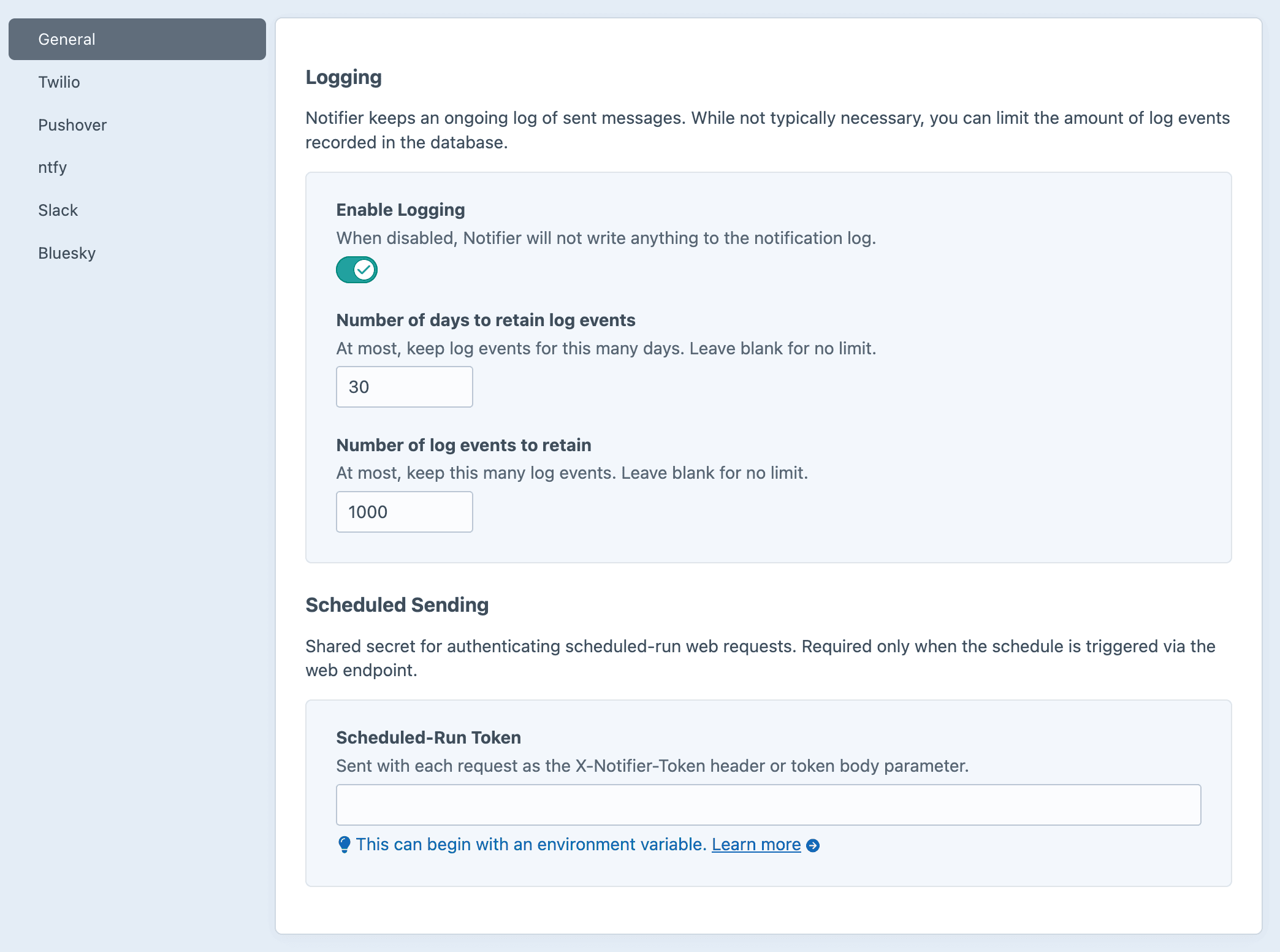
Logging
By default, Notifier writes a log event every time a message is sent.
Here you can decide:
- Whether to log outgoing messages at all.
- How long to keep log records (in days).
- How many log records to keep (row count).
Log Management
Learn more about restricting log size.
Scheduled Sending
If you plan to run the schedule via its web endpoint, be sure to set a Scheduled-Run Token.
It's encouraged to use an environment variable for this value, so you can keep it out of version control and easily change it across environments.
Token required to use the web endpoint
Web requests must include this value to authenticate.
Any string will work. A long random hex value (e.g. openssl rand -hex 32) is the safest default. Avoid a leading $ unless you intend to reference an environment variable.
Third-Party Integrations
Each integration lives on its own sub-page. Per-provider credentials, account lists, and webhook lists are configured there.
- Twilio for SMS messages
- Pushover for push notifications to Craft users
- ntfy for push notifications via topics
- Slack for channel posts via Incoming Webhooks
- Discord for channel posts via webhooks
- Bluesky for posts via the ATProto API
- Mastodon for posts via the Mastodon API
- MQTT for publishing to an MQTT broker